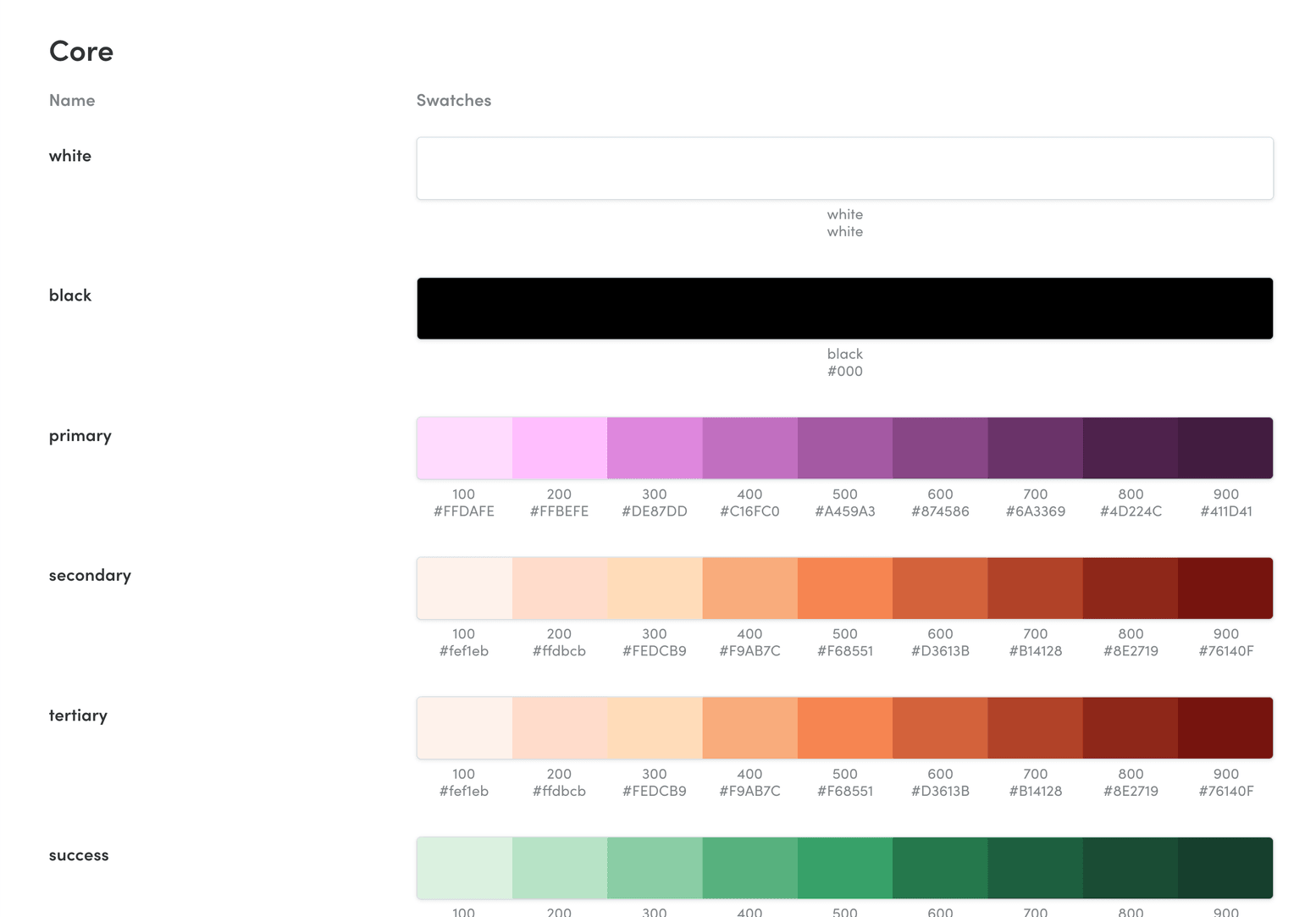
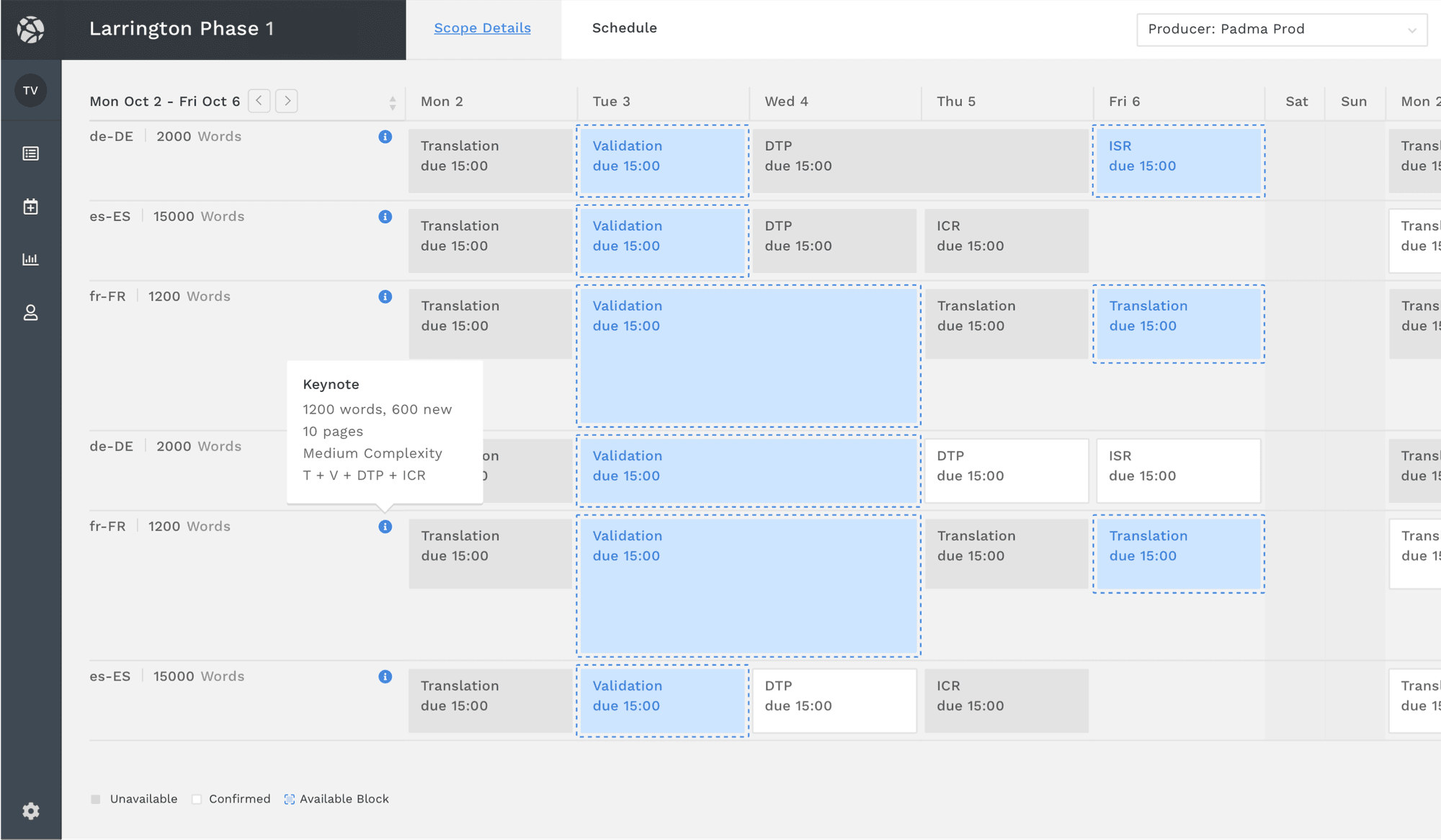
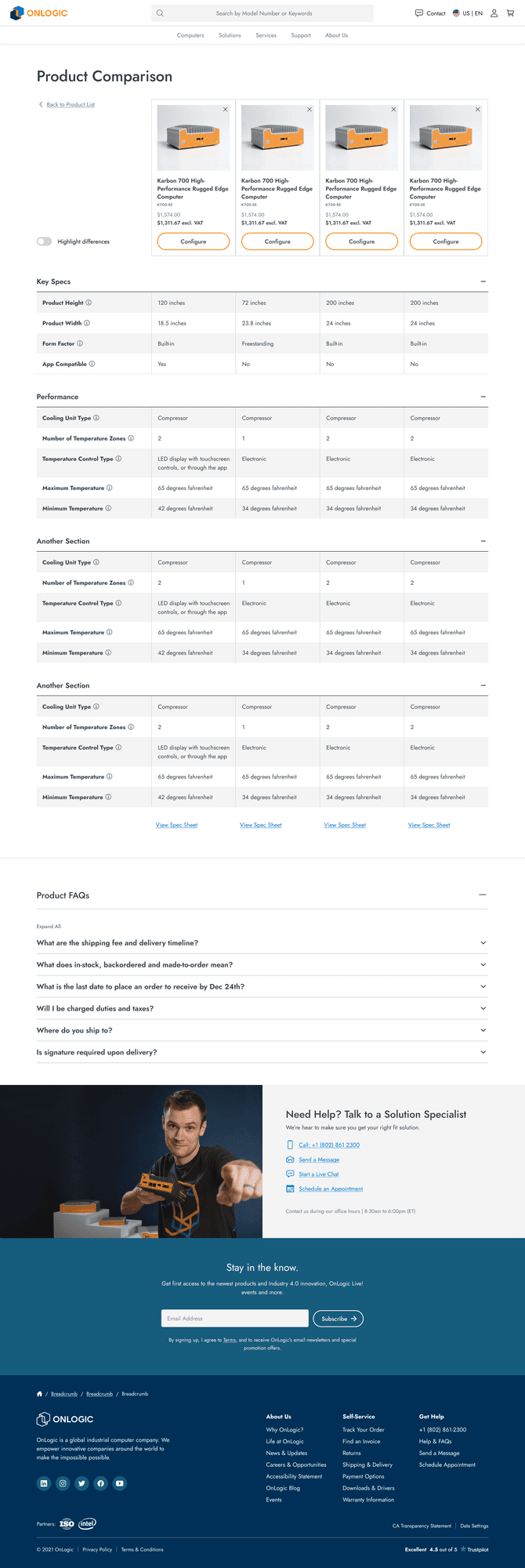
Token pipeline for a multi-brand platform

A unified token architecture across four brands, two themes, and two modalities, with design-code sync and AI guardrails built in.
| Role | Product Designer |
| Client | Software company (NDA) |
| Timeline | Oct 2025 – Jan 2026 |
| Team | Solo |
| Status | Delivered · 2026 |
| Result | The client’s in-house design system was seeded from this token set |
| Tags | design-systems · tokens · ai |
Key learning
A token system only works as a shared contract if it’s enforced everywhere drift can happen: in Figma, in code, and especially in AI-assisted development. Most teams build the architecture and skip the enforcement. The enforcement is the part that matters.
Overview
The visual design lived in Figma and the code lived in React, and the two were moving further apart every sprint. Colors existed simultaneously in Figma variables, CSS files, and hardcoded component values, with nothing keeping them in sync. When a designer updated a surface color, nothing downstream knew about it.
The underlying complexity was real: a multi-display product prototype needing to scale across four brands, two themes (day and night), and two interaction modalities. With the right architecture, all those combinations collapse into one system.
The constraint
The client wanted to add a new brand with a click of their fingers, without turning their own team into a service organisation for every brand that came after. The token set they started from couldn’t do that:
- 337 tokens across six files, and all 117 base tokens were raw values.
- One brand file and one responsive mode, with no motion, interaction or component tokens.
- Duplicate interaction folders, broken numbering, and nine hard-coded hex values inside the brand files.
- Names tied to the company (one brand colour was referenced 17 times by name) instead of roles, opacity hard-coded, and no elevation.
- The desktop product used 91 colours, and 12 tokens carried any description of what they were for.
Four brands sharing most of the same values, AI tools actively widening the design-code gap, and no enforcement at any of the points where drift actually happens.
Brand duplication was the most mechanical problem. Before there was a shared base, the Standard brand file alone ran to 1,575 lines, most of it values every brand shared, so a shared change had to be made brand by brand. The harder problem was AI-generated code. Fast tools that are perfectly happy to write color: #ffffff or padding: 16px on every component without being asked.
Approach
Output the engineers could use first
The first phase, in November, audited and rebuilt the client’s token set, and alongside it I wrote a transformer that resolved every brand and theme combination into Android XML, Kotlin and CSS, and a script that dropped the output straight into the client’s Android demo. The client’s engineers built against that XML and raised seven issues, and six of them were resolved.
Treating tokens as a shared contract
The inheritance model was the first structural decision. Brand overrides sit on top of a shared Base, so 16 combinations (four brands, two themes, two platforms) come from one source. Splitting out the Base took the Standard brand file from 1,575 lines to 1,280, and desktop spacing and radius aren’t stored at all: Click is derived as half of Tap.
Design Tokens/
├── Base/           ← single source of truth
├── Brand/          ← per-brand color overrides only
├── Theme/          ← Day.json, Night.json (semantic surfaces)
├── Motion/         ← duration, easing, transition presets
├── Interactions/   ← hover, active, disabled, focus
├── Platform/       ← Tap.json (touch density), Click.json (desktop)
└── Compositions.json
The semantic color layer formalizes three tiers. Raw primitives never touch components directly:
| Layer | Purpose | Used in components |
|---|---|---|
color-primitives | Raw values | No |
color | Brand accents | Yes |
surface / onsurface | Semantic theme surfaces | Yes |
This is what makes day/night switching automatic. --color-surface-secondary-enabled changes meaning across themes; a raw hex value never does. All themes, brands, and platforms are runtime-switched via data attributes with no rebuild required.
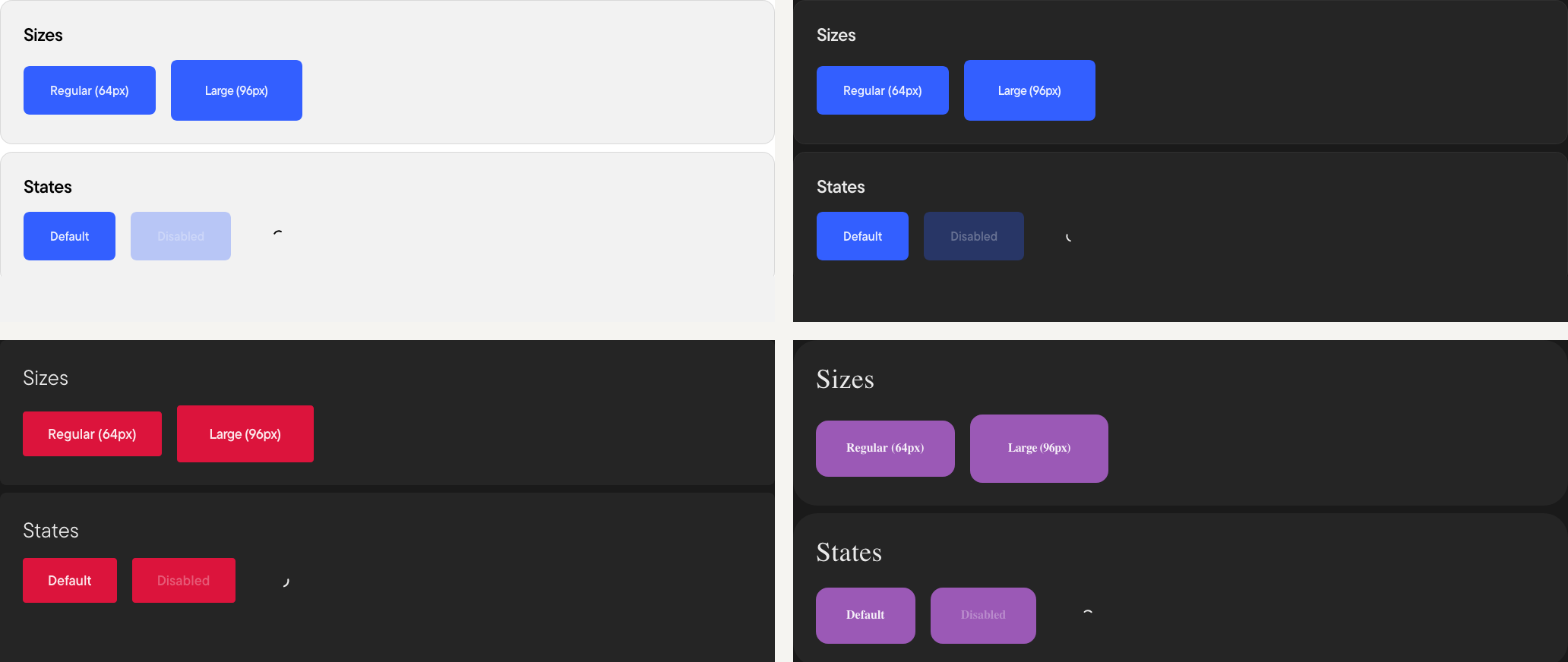 One button component across the Standard brand by day and by night, then the Performance and Luxury brands by night. Only the tokens change.
Enforcing the contract in code and in AI
A perfect token architecture still fails if Cursor writes padding: 16px on every component. The enforcement layer is what makes the system real rather than aspirational. It runs at every point where drift can happen.
Design Guard scans staged files for hardcoded values: hex colors, raw px lengths, rgb() functions, inline var() fallbacks. It runs in warn mode by default, and a strict mode fails the run instead. On this project the pre-commit hook was deliberately non-blocking, so a warning never stopped a demo. Run across the codebase, it surfaced 1,725 warnings in 54 files, debt that had been invisible until then. It’s the same tool used across several projects and is available separately: Design Guard →
A custom ESLint rule covers inline styles in JSX, the most common pattern AI tools produce. style={{ padding: '16px' }} blocks. style={{ padding: 'var(--spacing-16)' }} passes. That one rule catches an entire category of AI-generated drift before it reaches review.
AI development guidelines in .cursorrules give Cursor and Claude explicit stop conditions: never use hex or raw values; if a needed token doesn’t exist, stop and request it through the token process rather than inventing a value. Explicit rules written for tools that have no design intuition work better than assuming the model will infer conventions.
Three layers covering CSS, JSX, and the AI tools themselves.
Token changes reach the app without extra steps
Editing any token JSON file triggers a CSS regeneration and live reload. A single dev command starts the token watcher and the Vite dev server together. The full lint pipeline runs in two modes: warn by default, strict on demand. Same checks, different failure behavior.
This closed the loop that previously required a manual Figma export, a file copy, and a component update before a token change was visible anywhere in the running app.
Figma Variables (Token Studio)
         │
         ▼  sync
    tokens/
    ├── Base/            ← shared foundation
    ├── Brand/           ← per-brand overrides
    ├── Theme/           ← Day / Night surfaces
    ├── Motion/          ← durations, easing
    ├── Interactions/    ← hover, focus, disabled
    └── Platform/        ← Touch (tap) / Desktop
         │
         ▼  npm run build
    build/css/
    ├── variables.css    → :root (primary light)
    ├── dark.css         → [data-theme="dark"]
    └── brand-*.css      → [data-brand="..."]
         │
         ▼  Design Guard (pre-commit, warn)
    ✓  Token-compliant components
Outcome
A single Base serves all four brands, with each brand’s overrides layered on top. The design guard runs on every commit in warn mode, and the warnings it lists are the remaining debt, counted. Figma variables mirror the token repo through a single sync command.
In February 2026, the client’s own team seeded their in-house design system from this token set. Their first token commit was a Figma export of the same architecture: the same Base, Brand, Platform and Theme modes, 355 of 358 token paths, identical tap and click values, and 95 token descriptions word for word.
The client’s feedback was that they needed someone who works the way I do, moving between disciplines and working in the real thing, not a picture of it.
What I learned
AI tools are fast and sloppy by default. The enforcement layer doesn’t feel optional once you’ve seen what AI-assisted development looks like without it: every component a slightly different spacing value, hex codes scattered through inline styles. Guardrails don’t slow development down. They make AI-generated code trustworthy enough to merge.
Building a token system that works with AI tooling means thinking about the system from the perspective of a tool that has no design intuition. Explicit rules, explicit stop conditions, a linter that makes violations immediately visible. That’s what turns a naming convention into a contract.